Category: Vlog

  • My mini homelab cluster using Uncloud on IncusOS and a DigitalOcean Droplet | Always Developing #258

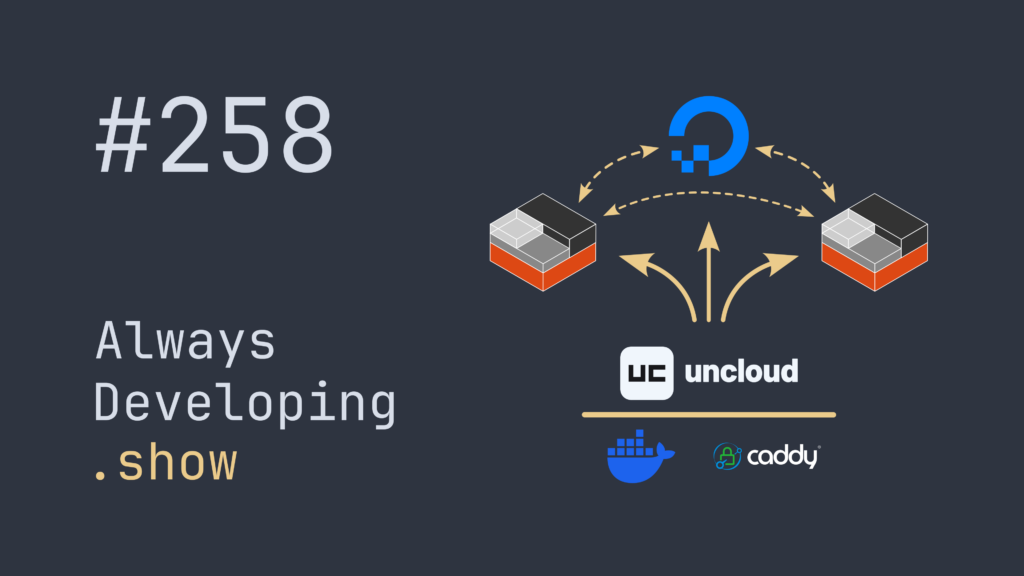
    Always Developing Show #258 thumbnail

    With Uncloud it’s super easy to set up a cluster of Docker nodes meshed together with WireGuard for running a bunch of services.

    In this video I show how I’ve set up my tiny homelab to run Uncloud on top of Incus and IncusOS, plus a DigitalOcean Droplet for public access.

    I also scale up the cluster with a new Incus virtual machine, adding it to the Uncloud cluster with a Dozzle agent to capture it’s Docker stats.

    The main players:

    Uncloud: https://uncloud.run/
    IncusOS: https://linuxcontainers.org/incus-os/introduction/
    Incus: https://linuxcontainers.org/incus/introduction/
    DigitalOcean ($200 credit referral link): https://m.do.co/c/aa4e4d18cf49

    Supporting cast:

    Docker: https://www.docker.com/
    Caddy: https://caddyserver.com/
    Dozzle: https://dozzle.dev/
    Concourse: https://concourse-ci.org/
    Uptime Kuma: https://uptimekuma.org/

    Always Developing Playlist:- https://www.youtube.com/playlist?list=PLDWtdmaxq1few8CjnK4MC3LLBMVpi_aCS

  • Happy New Year! 🎉

    Today I published “Gleaming Wails: Idiomatic Gleam & Lustre Msg naming with nice refactor | Always Developing #253” to my YouTube channel.

    In this session I switch to using more conventional names for the app’s Lustre Msg types, which turns out awesome as it helps me see where I was going wrong, could remove some messages, and simplify the update function!

  • Today I published the 256th video on my YouTube channel.

    It’s only my 251st full Always Developing video, there’s been a handful of quick catchup “.1” videos, and my very first video was nothing related to coding.

    However, I still think it’s pretty neat to have hit this milestone.

    Merry Christmas nerds! 🎄😀

  • Gleaming Wails: A new series of live coding videos

    I’ve just published the first video in a new series of live coding sessions where I’m developing with Gleam and Lustre to build the front end for a desktop app built with Go and Wails.

    The first video is a bit of test of my recording setup where I walk through a minimal test of connecting Gleam to the Go based Wails back end via its generated JavaScript functions that always return a Promise, and are therefore a little tricky to handle in Gleam. It was quite a relief to come up with a fairly simple mechanism for calling the JavaScript functions through Gleam’s excellent “Externals” Foreign Function Interface (FFI) and end up with a usable Lustre Effect.

    During the “Gleaming Wails” Always Developing series I’ll be replacing the Snippet Expander desktop app’s Svelte based UI with a Gleam based one, continuing my quest to learn Gleam, which I very much enjoy working with, but unfortunately don’t get to do full time.

    As it’s a chunky piece of work that I’m signing up for, hopefully this project will help me get more familiar with the Gleam language and Lustre framework, and help hone my functional programming skills in general. Even though I’ve been programming for well over 40 years now, and getting paid for it for nearly 30, I’ve mostly been working with Object Orientated style languages, and so functional programming doesn’t come easily.

    With luck, along the way some people will learn a thing or two from my fumblings, or get excited about having a go at programming with Gleam.

    You can follow along while I code (mostly) in Gleam on my YouTube channel.

  • I'm rather interested in learning the Gleam language, so I've started a new series of YouTube videos, "live coding" converting an Elm app to Gleam & Lustre.

    Elm to Gleam & Lustre – Setup | Always Developing #235

  • After a mini summer break, it's nice to be back in the saddle and recording Always Developing sessions for my YouTube channel again.

    My YouTube channel

  • Somehow I've got 100 subscribers to my Always Developing YouTube channel. I have no idea why people watch me floundering around while trying to rewrite Snippet Pixie in Go.

    Snippet Pixie: Next – Floundering around with golang locales and dates | Always Developing #122

  • This evening, Always Developing session #100 was published! 🎉

    Snippet Pixie: Next – Start implementing JSON export format | Always Developing #100 🎉

    Since starting to record development sessions back in April of this year, I've actually published 102 videos, as a couple were short ".1" follow-ups to the main session.

    Of course, session #100 published today was just like many, finishing with me running out of time as I scratch my head over some problem. Luckily I recorded #101 this morning, which neatly wraps up the issue I was having formatting the JSON at the end of #100. Hopefully #101 will finish being processed by YouTube in time for me to be able to publish it tomorrow.

  • Today's Always Developing session that I've just published to YouTube, was one of those nice ones where I finally figured something out, well, hopefully.

    Snippet Pixie: Next – Writing a D-Bus server and client in Go – Part 4 | Always Developing #77

    I was really struggling with how to use the result of a function call in Go that returned an Interface type. In particular I wanted to use the returned dbus.BusObject as the receiver for a function, it just wasn't playing nice.

    Then I figured out how to embed the dbus.BusObject into a custom type so that it inherited the interface via the underlying dbus.Object that is actually returned from the function.

    I then went on to set up a custom Interface that my type adhered to, and even put it in a package so that any client application can use it to ensure all functions are implemented.

    There's still a long way to go, lots to add to that interface in both client and server, and likely a bunch of refactors yet to come, but I'm very pleased with the way things are shaping up.

  • Snippet Pixie: Next – Always Developing #60

    Today I published Always Developing session #60, which is both the start of a new series of videos, and a new chapter for my Snippet Pixie application.

    Snippet Pixie: Next – Rebuilding from scratch with Go | Always Developing #60

    Snippet Pixie's website

    Snippet Pixie: Next

    As the video title suggests, I'm rebuilding Snippet Pixie from the ground up using a completely different programming language. Instead of Vala, I'm going to use Go for the rewrite.

    Reasons For Rewrite

    There's a number of reasons that I'm doing this, but first and foremost it's because I'm wanting to learn the Go programming language.

    A good chunk of my earlier Always Developing sessions were with me building a GoalMonitor web application to help me learn Go for the back end, and Svelte for the front end.

    Playlist: GoalMonitor – Svelte + Go + CockroachDB + Juju

    https://golang.org/

    https://svelte.dev/

    I've recorded 40 GoalMonitor related sessions, but found myself not wanting to continue with them, leading to skipping recording (making a lie of "Always Developing"), or making videos on different subjects instead. The application was starting to get to the point where I'd need to invest considerable time into completing it, but it's not a project I currently need. Without that need for the application, I just don't have enough motivation to push it forward in my spare time, even though I would likely learn a huge amount by doing so.

    Snippet Pixie is a project that I'm passionate about, that I use many many times every day, but yet is in need of some attention to address some issues it currently has, and push it forward. Some of the issues with Snippet Pixie that I need to address relate to it's current architecture, and there's quite of lot of work needed to fix that. I'd rather spend that time working with Go than Vala. Go is rather good for building daemon and CLI apps, which just so happens to be part of my plan for improving Snippet Pixie's architecture and unblock the path to fixing some of its issues.

    Don't get me wrong, Vala is a perfectly fine language, in fact I quite like it, but even with as little experience as I have in either Go or Vala, I'm drawn more to Go.

    While wanting to learn Go and needing to fix the code bases' architecture are the main reasons for re-coding Snippet Pixie from scratch, it also gives me the opportunity to use a different license.

    New License

    Snippet Pixie currently uses the GNU General Public License v2.0 (GPLv2) license.

    https://github.com/bytepixie/snippetpixie/blob/develop/LICENSE

    I don't like the GPLv2 license because it imposes too many conditions that restrict your freedom to use the code as you see fit. I would much prefer that if someone finds useful code in Snippet Pixie's code base they can use it without worrying about the implications of doing so.

    As such, I'm using the MIT license for the new from scratch Snippet Pixie code base.

    https://choosealicense.com/licenses/mit/

    This may turn out to be particularly helpful if I end up creating any Go packages that can be used by others. As the development of Snippet Pixie progresses there's a good chance I'll end up working with the AT-SPI2 DBUS interface if wanting to keep feature parity with the current release of Snippet Pixie.

    https://gitlab.gnome.org/GNOME/at-spi2-core/

    That interface is currently used by Snippet Pixie to implement auto-expansion of snippets. Unfortunately I've not been able to find any currently maintained Go libraries for dealing with the AT-SPI2 service, so I may end up having to work on that myself. That's a long way off though, and frankly may never happen as I find myself using Snippet Pixie's "Search & Paste" window way more than auto-expansion. Search & Paste has far better compatibility across applications as many don't implement the required accessibility features, and I often find it easier to type a few letters into the search dialogue than try and remember the abbreviation I set for a particular snippet.

    Contributions

    Apart from myself, there have been 4 other lovely people that have been generous enough to contribute to Snippet Pixie.

    https://github.com/bytepixie/snippetpixie/graphs/contributors

    Ordinarily I believe this might cause a problem with re-licensing as you should get everybody's approval for the parts they've contributed to as they hold the copyright, or something to that effect (I'm not a lawyer, have never played one on TV, and have zero interest in becoming a lawyer). However, 2 of those contributors only touched files related to building the .deb package or running tests on Travis CI, neither of which need to be carried forward to the new version of Snippet Pixie. Their contributions were super helpful, but going forward I don't need to worry about their copyright for the code they contributed.

    The other 2 contributors mostly touched the translation files, and little bit of the build config related to translation, and I think made a string or two translatable in the core codebase.

    I would rather not lose the work done on those translations, it's incredibly valuable work, but I'm unclear as to whether I would be able to update the license in the current repo without some sort of official gubbins. I'm sure NathanBnm and Vistaus would give their blessing, but I'm not sure whether there's anything (or anyone) else that I need to take into consideration before switching out the license.

    New Code Repository

    As I'm not the sole contributor to the current version of Snippet Pixie but want to use a different license, I've gone the safe route and started again from a new repository.

    What I might do in the future is take the translation data and massage it into a new format that I anticipate needing to generate for the new Go code base. Once generated (or most likely painstakingly copy/pasted one line at a time) I'll seek out NathanBnm and Vistaus to get their blessing before merging into the main branch.

    In the video I mention that another reason for the new repository is that as I'm trying to learn Go as part of this rewrite, I'd rather not have any outside contributions at the moment. I don't want some kind sole contributing a bunch of excellent code that means I don't get to learn how to implement that feature or whatnot myself, or that I may not fully understand yet anyway! I'm all for comments on my videos letting me know about a trick I've missed or some doc I should take a gander at though.

    So I've created a brand new GitHub organisation for Snippet Pixie, and as part of the video linked above you can see that I created a private repo. In due course it'll be made public.

    Finally, another reason for using a new repo is that the current Snippet Pixie repo has a few services hooked up for testing and package building that I'd rather not disrupt. If I were to start committing to the old repo those services would be triggered, I don't want that, and don't want to go through the hassle of trying to filter the service's triggers. The current version of Snippet Pixie may need a bug fix or two while I'm progressing with the rewrite, so I'd prefer to keep its repo in full working order.

    Going Forward

    So that's me now set up with plenty of work to do as part of my (almost) daily Always Developing sessions. I'm really looking forward to getting stuck into developing with Go again, and who knows what other technologies get thrown into the mix as I rebuild Snippet Pixie and its adjacent projects.

    If you want to follow along, don't forget to subscribe to my YouTube channel!

    Always Developing.show

    Thanks for reading, until next time, take care!