Before starting every work day, I do half an hour of noodling on side projects, making sure to keep them moving forward, albeit slowly.
Working on these side projects is how I learn new programming languages, frameworks and technologies.
Chances are I’ll fail miserably each and every day, so at the very least you can take comfort in seeing a so-called senior developer fumbling through some development with little success.
Before starting every work day, I do half an hour of noodling on side projects, making sure to keep them moving forward, albeit slowly.
Working on these side projects is how I learn new programming languages, frameworks and technologies.
Chances are I’ll fail miserably each and every day, so at the very least you can take comfort in seeing a so-called senior developer fumbling through some development with little success.
Last week I wrote an article about how my personal site is now a Gemini Capsule by default, and only just now remembered to post something on Twitter about it. 🤦️
Before starting every work day, I do half an hour of noodling on side projects, making sure to keep them moving forward, albeit slowly.
Working on these side projects is how I learn new programming languages, frameworks and technologies.
Chances are I’ll fail miserably each and every day, so at the very least you can take comfort in seeing a so-called senior developer fumbling through some development with little success.
I encourage you to quickly check out that “Hello Gemini World” post to get a taste of how simple the Gemtext format is. It’s effectively a reduced line based Markdown format.
The Gemtext format is very attractive to me, its incredibly easy to write and read, not only for humans, but software too.
As noted in my previous post, I believe the format’s constraints help you concentrate on writing rather than thinking about text markup style, link placement, and images etc. With so few formatting options, the words you use have more significance.
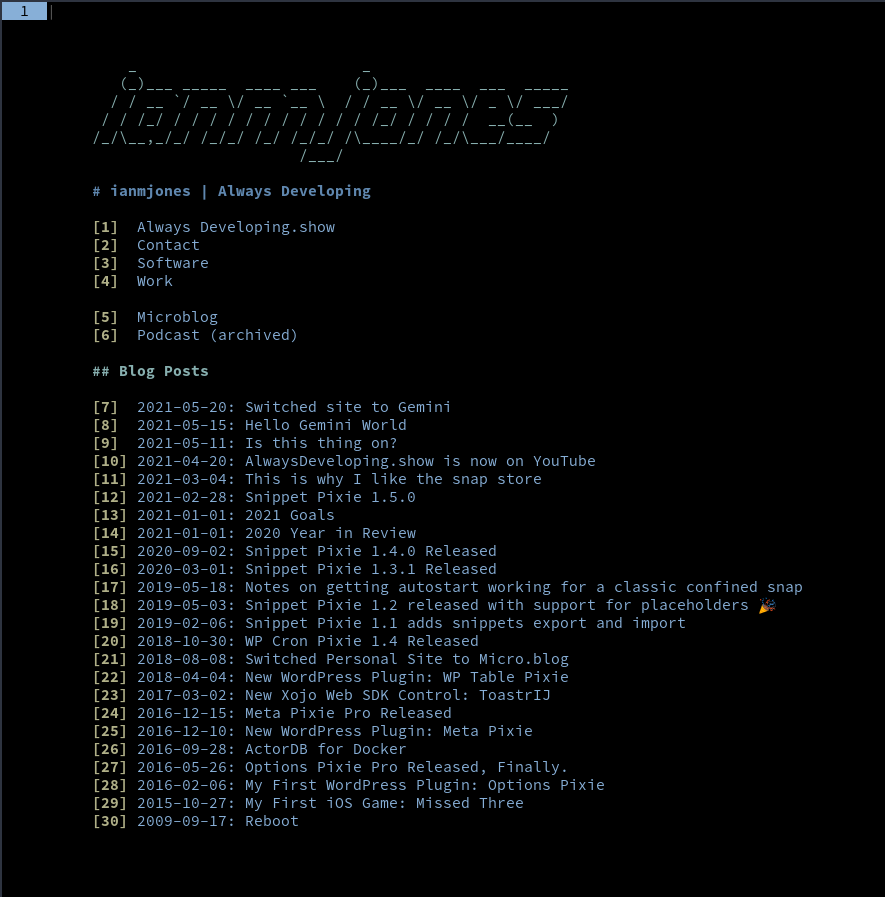
An incredibly appealing aspect of the Gemini protocol is its compatibility with terminal based clients (browsers if you will). I’m using one that seems to be rather popular called Amfora.
Over the last few weeks I’ve been using Amfora in preference to Firefox where possible to read a bunch of articles, bookmarking them and then enjoying the distraction free reading experience while having my breakfast. I’m a big fan of Instapaper, but the formatting of articles written in Gemtext is even easier to read.
Being keyboard driven it’s very fast to navigate sites, including just hitting a number to go to visit a link. And my site’s new home page looks lovely in Amfora, especially with a slightly modified Nord theme.
This is a lovely little bit of software written in Go that takes your “.gmi” files that optionally have a little bit of extra “frontmatter” at the top, mixes them with some templates, and spits out a site with nice index pages and feed files etc.
If you look closely at the changelog for kiln you may see that the author, Adnan Maolood, was kind enough to accept a couple of bug fixes from yours’ truly.
While kiln is relatively simple, it’s very powerful, utilising Go templates for some serious flexibility of output.
The majority of the site’s content comes from the Markdown posts I had in the WordPress version of the site I’ve been running for a few years now.
I backed up the site’s database with WP Migrate DB Pro, and then tar’d up all the site’s files (including the db backup) and downloaded it.
Then I re-hydrated just the database and extracted all the posts I wanted with a simple bit of SQL.
I wrote a shell script that ran through those records to extract the fields I needed such as title, date and content, and then processed them to clean up the titles, content and file names as much as possible.
The shell script included usage of a Python script called md2gemini that did the heavy lifting when it comes to removing all the stuff Gemtext doesn’t support and moving links onto their own lines.
The result was far from perfect (mainly because of some WP encoding stuff), but helped immensely, definitely something I could work with. The shell script I wrote went through many iterations as I fine tuned the output for the different types of content I had in the WP based site, from articles to microblog posts to podcast episodes.
Eventually I had all the posts/microblogs/podcasts output to somewhat usable gmi files that were handled well by kiln, and which I could just manually clean up pretty easily (I don’t have a huge amount of content, yet).
With kiln you can naturally output a site that uses the Gemini protocol (gemini://) and Gemtext formatted text that Gemini browsers happily read. However, you can also pre or post process the output in a build task, and this means you can use a tool such as gmnitohtml to create a version of the site for the web.
That gmnitohtml application is also by Adnan, and works really well to convert Gemtext to HTML.
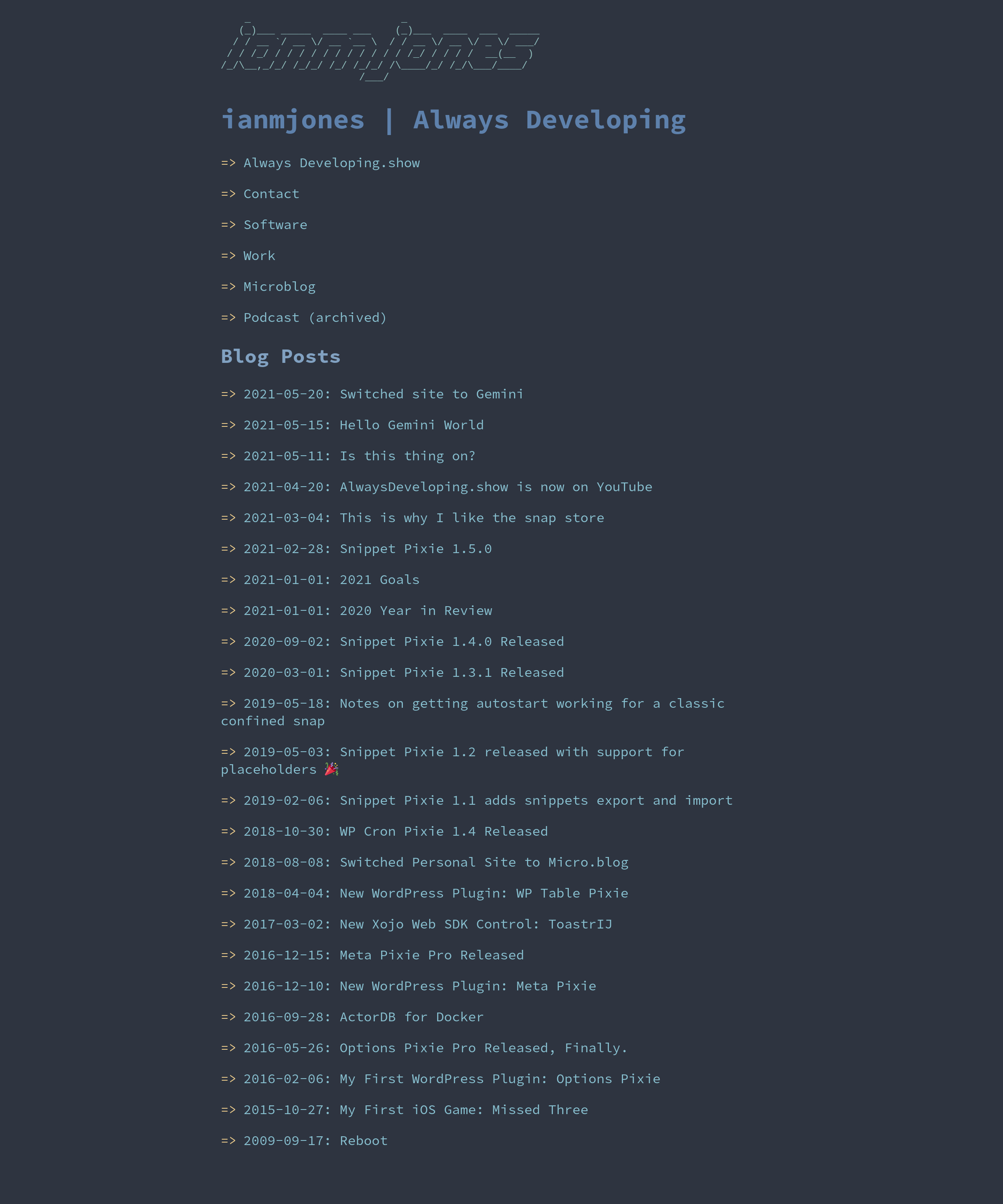
So I built a very simple HTML template, sprinkled in some custom CSS (Nord flavoured of course), and Bob’s your uncle, out pops a nice clean no-nonsense web site.
At some point I should probably write up a tutorial on how to use kiln, might be useful to someone.
I’ve been using sourcehut for a little over a year now, very much appreciate the simplicity and power. It’s great stuff, and I’m using git.sr.ht for the site’s repo along with builds.sr.ht to build and deploy the site every time I commit a change.
And what’s really nice is that Gemini is fully supported, so both the Gemini and web versions of the site are hosted there and deployed at the same time.
There’s a good chance that I missed something while re-building this site, so if you find any problems or just want to chat about Gemini or how I built the site, please drop me a line.
I'm currently investigating using Gemini as the source for my written output. As the Gemini protocol is very much about simple text rendering, it creates some nice constraints that help you focus.
Gemtext Test
The rest of this page shows everything allowed in Gemtext. It's really here just so that I can test styling the content when converted to HTML!
This is normal text.
Heading 1
Heading 2
Heading 3
While links are written in the same way regardless of the URL protocol or file type, some Gemini clients show links a little differently depending on what they point to. So here's a few different URLs.
0:00 Finishing install of all my preferred apps for new elementary OS 6.0 install
37:00 Final config and check of new elementary OS 6.0 install
45:00 Compile and test of Snippet Pixie
Live coding an app with SvelteJS, Go, CockroachDB, and Juju Charms in Python. Sometimes Linux desktop app or WordPress plugin development too.
Before starting every work day, I do half an hour of noodling on side projects, making sure to keep them moving forward, albeit slowly.
Working on these side projects is how I learn new programming languages, frameworks and technologies.
Chances are I’ll fail miserably each and every day, so at the very least you can take comfort in seeing a so-called senior developer fumbling through some development with little success.
Before starting every work day, I do half an hour of noodling on side projects, making sure to keep them moving forward, albeit slowly.
Working on these side projects is how I learn new programming languages, frameworks and technologies.
Chances are I’ll fail miserably each and every day, so at the very least you can take comfort in seeing a so-called senior developer fumbling through some development with little success.